

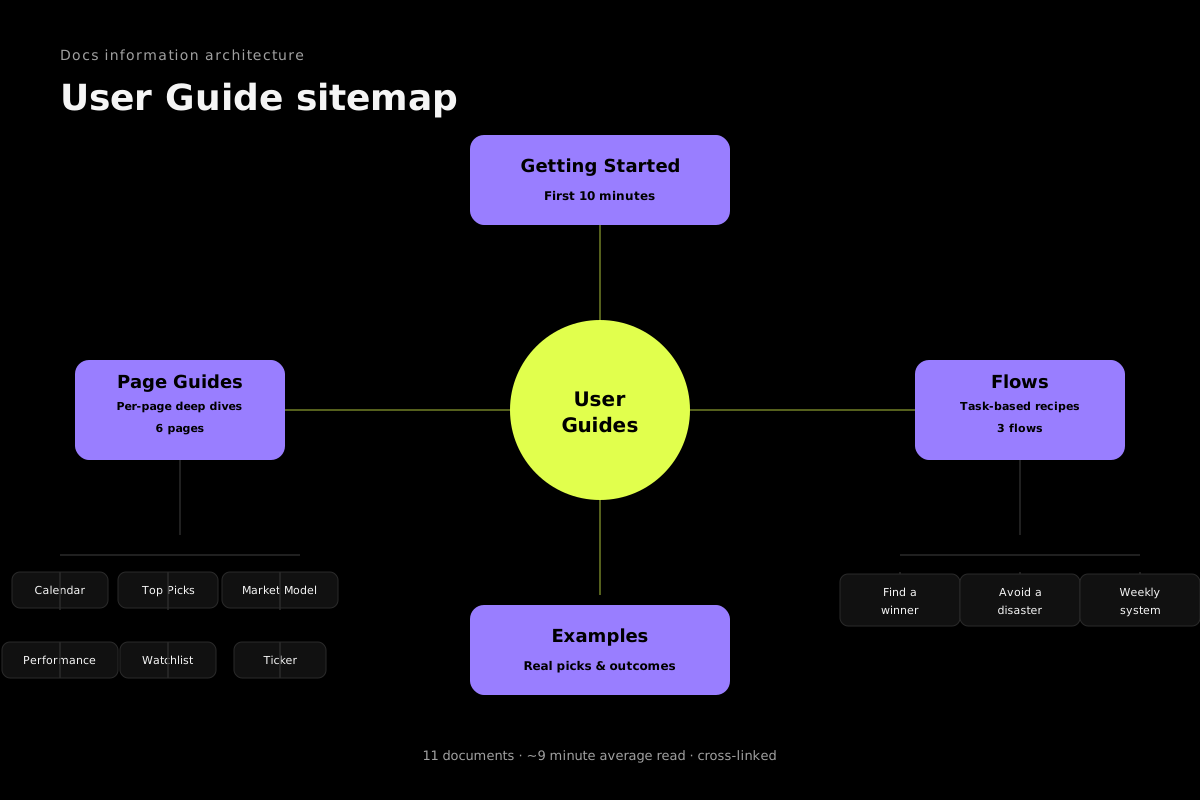
BigEarnings tracks what happens to a stock after it reports earnings — next day, next week, next month, all the way to the next call. Across 6,500+ tickers and 47,000+ reports back to 2023. Here's how to set yourself up in five minutes.
The five-minute setup
Step 1: Add five tickers to your Watchlist (90s)
Open Watchlist in the top nav and type in five names you already own or care about. Free caps you at three, so pick the three that matter most. If you're stuck, these five give you a complete read on the market every quarter:
- NVDA — AI bellwether, sets tone for tech
- META — guidance + capex calls move the whole ad market
- AVGO — custom silicon thesis, every print resets the AI hardware narrative
- PLTR — commercial AIP commentary moves software multiples
- SNOW — six consecutive beats, one of the cleanest compounders
Step 2: Skim the Calendar for this week (60s)
Open the Calendar. You'll see this week's earnings split by day, largest first. Scan for names you own, mega-caps reporting (their guidance signals direction for sectors you do own), and the status indicators after each print lands. Pro can filter by importance bucket to cut noise on busy weeks. See the Calendar guide for the full filter breakdown.
Step 3: Check the Market Model (45s)
Open the Market Model. You get a score from 0 to 100 with a label: Bullish, Positive, Neutral, Defensive, or Bearish. It's the percentage of tracked indices and sectors above their key moving averages, weighted by timeframe. It answers one question: should you be leaning long, hedged, or out?
When the score drops below 40, size down. When it crosses below 25, get defensive. The Market Model guide covers the regime bands in detail.
Step 4: Glance at Top Picks (60s)
Open Top Picks. These are the ten stocks our model rates highest right now. The composite "Golden Combo" score weighs seven factors including growth trajectory, momentum, relative strength, trade readiness, beat quality, profitability, and a flip-year bonus. Each pick comes with a one-glance "why" panel.
This is the discovery page. You don't trade these immediately. You understand why each one made the list — see the Top Picks guide for the factor weights.
Step 5: Open one ticker detail page (45s)
Click any ticker name. The detail page shows every past earnings print with 1d / 1w / 1m / next-ER reactions, the full fundamentals stack, sector context, and an AI take on the next event. Pick a stock you've owned for a while and look at its post-earnings history. You'll probably see a pattern you didn't know existed. The Ticker Detail guide walks through how to read the history table.
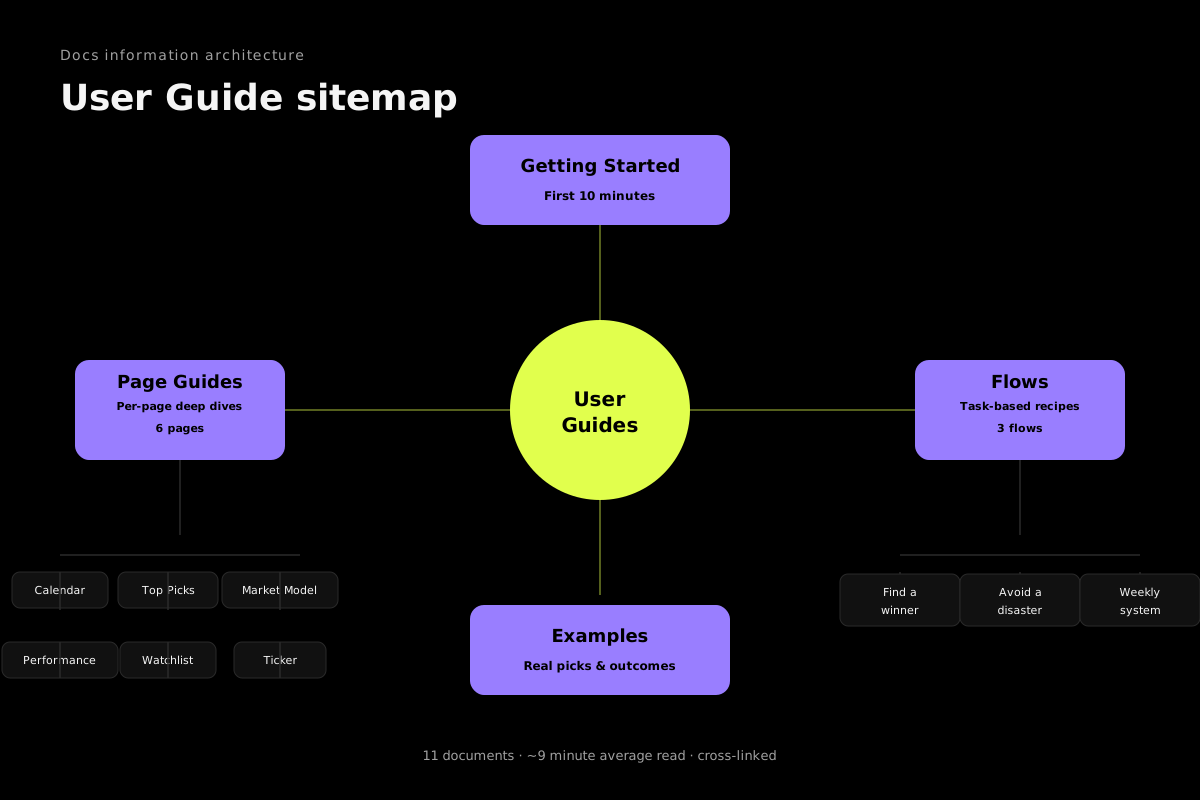
The three flows that turn this into money
- Find the next winner — discovery flow, ends in a watchlist add
- Avoid earnings disasters — risk flow, for names you already hold
- Build a weekly system — Sunday-night routine, 15 minutes, compounds
One thing not to do
Don't try to trade everything on the calendar. A typical week has 150+ prints. You'll focus on 10-20 — your watchlist and the Top Picks list. The rest is noise. The platform's job is to find you the signal. Your job is to ignore the rest.